| |
| CLICK HERE FOR INDEX PAGE |
| |
| CONTROL SYSTEMS |
| |
| V. Ryan © 2003 - 2009 |
| |
| PDF FILE - CLICK HERE FOR PRINTABLE WORKSHEET BASED
ON EXERCISE BELOW (CLOSED SYSTEMS) |
| |
CLOSED SYSTEMS:
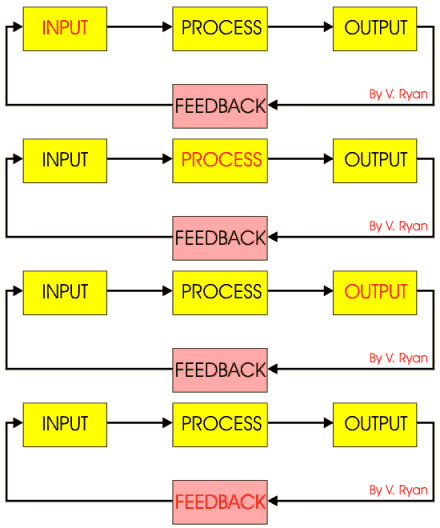
When designing a control system it is good practice to consider it as a
number of stages. For example;
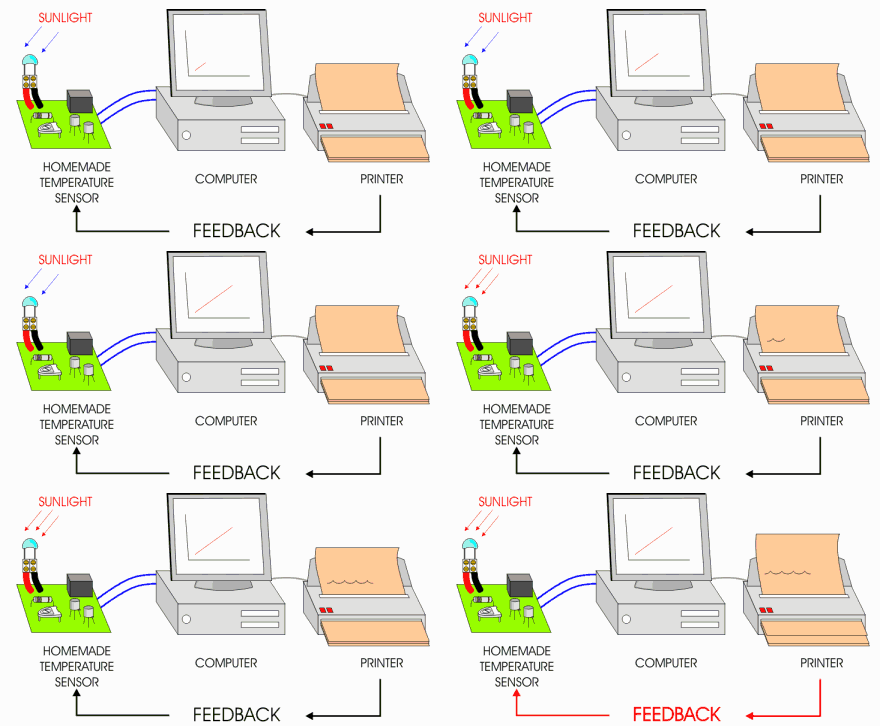
A simple weather station can be looked upon as the following; |
| |
 |
| |
|
|
| |
 |
| |
INPUT:
The heat from the sun causes the temperature sensor to produce
data and this is sent to the computer. |
|
PROCESS:
Data is received by the computer and it is processed. The
processed data is displayed on the monitor as a graph. |
|
OUTPUT:
The temperature levels are printed out. This is one form of
output. |
| |
|
|
|
|
|
| |
| The temperature is constantly monitored and this is
called feedback. As long as the sensor works, the computer processes and
the printer prints out - feed back is taking place. |
| |
| OPEN SYSTEMS |
| |
| PDF FILE - CLICK HERE FOR PRINTABLE WORKSHEET BASED
ON OPEN SYSTEMS |
| |
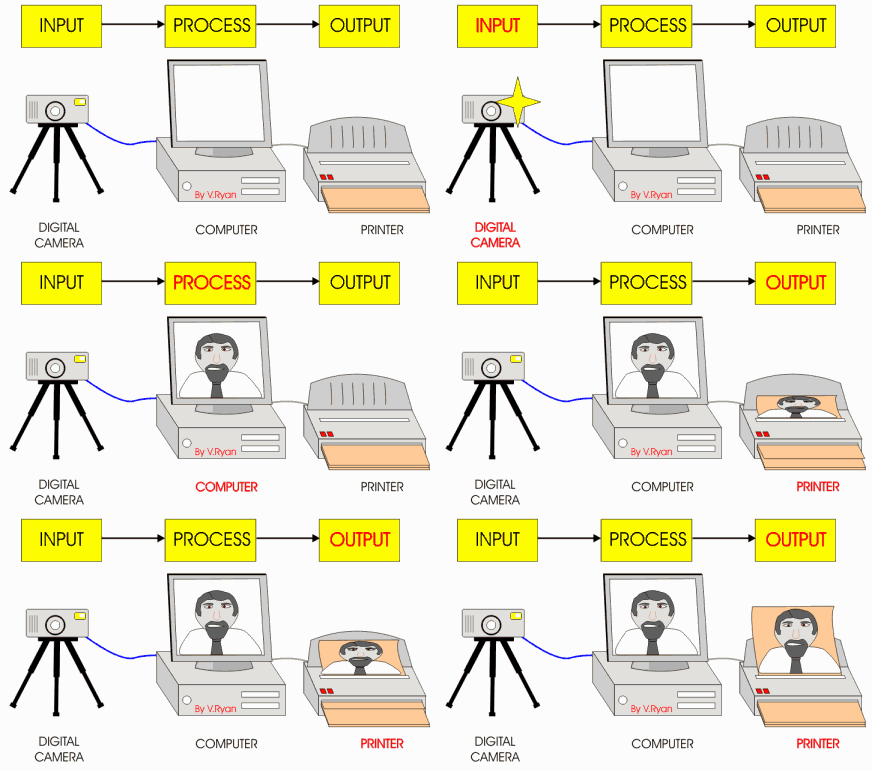
A system that does not have feedback is an open
system. An open system normally works once and then stops. A good
example is seen below. A digital camera is used to take a photograph, it
is transferred to the computer where processing of the picture takes
place and finally a printout is produced. This is a closed system
because there is no feedback and no attempt is made to improve the
picture.
The person taking the picture decides to improve the final printout,
using graphics software. He prints out the photograph several times and
alters the photo with the software. Is the system still an open system
or has it now changed to a closed system with feedback? |
| |
 |
| |
|
|
| |
| When drawing a systems diagram the boxes are labelled
and there is no need to draw pictures representing each stage. However,
when attempting course work, adding drawings helps present the diagram
in a more graphical way. The open systems diagram shown below represents
use of a digital camera which is shown graphically above. |
| |
 |
| |
| QUESTION: |
| Draw a systems diagrams to
represent a closed system of your choice and an open system. |
| |
| CLICK HERE FOR CONTROL SYSTEMS - MORE
ANOTHER EXAMPLE |
| |
| CLICK HERE FOR ELECTRONICS INDEX
PAGE |
| |
| |
| |